
Project Humane · Project
Unbound Notebook System
An analog notebook system that is friendly to thinking and exploration.
Contents
Unbound is an evolving framework for integrating digital and analog note-taking. It’s an exploration of how we can make the processes of capturing, searching, and exploring knowledge more flexible and enjoyable.
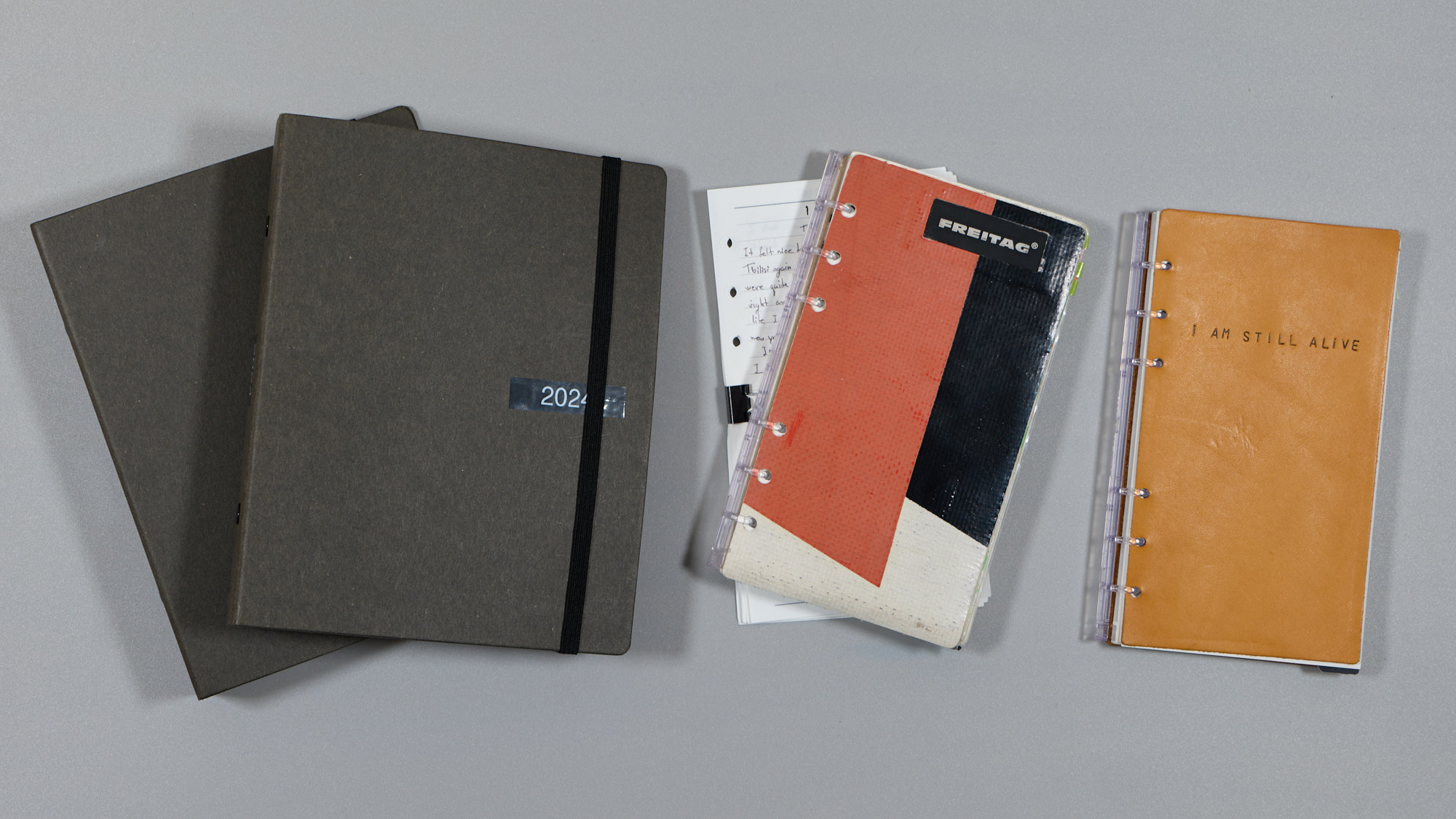
The Unbound System is a work in progress—a research project. It’s an adaptable, non-rigid approach to thinking, exploring, retrieving, and evolving ideas and thoughts, leveraging various mediums.
Philosophy
Analog and digital tools alone are not enough to fully support the way our brains think and work. Analog systems are less rigid and mirror the brain’s elasticity, supporting freeform thinking and idea development. Digital systems, while superior for organization and information retrieval, can feel too structured for creative exploration. Furthermore, I will argue the value of organization altogether too.
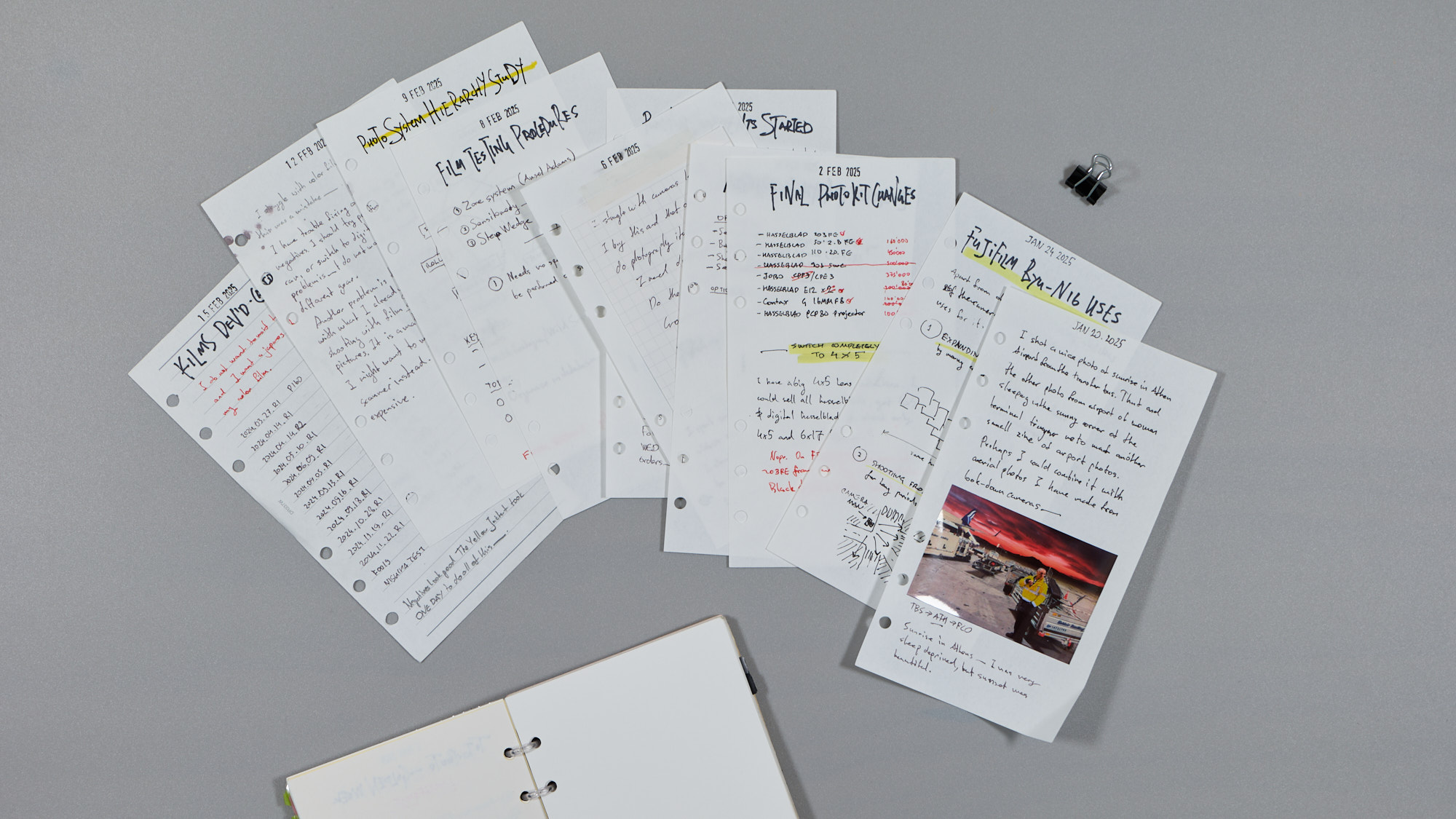
The system is software- and brand-agnostic. Although it has some preferences for certain types of tools, fundamentally it is unbound from any type of ecosystem.
Loose Leaves
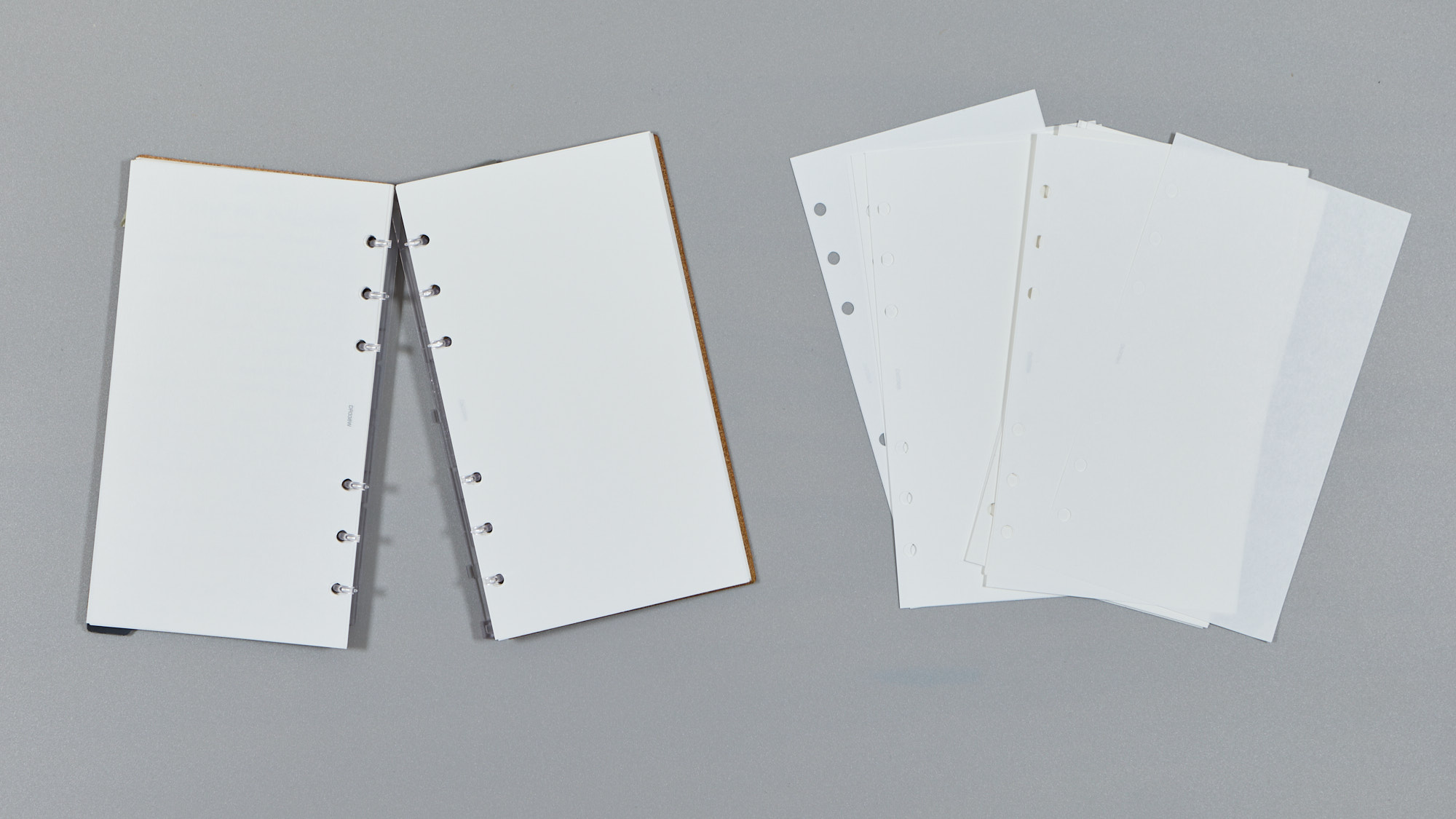
As the name suggests, the notebook system is based on loose leaves rather than bound notebooks. This choice is not due to a preference for one type of stationery over another, but rather a pragmatic decision that enhances the system’s flexibility and functionality. The following sections will explore the reasons behind this choice in more detail.
Pagination
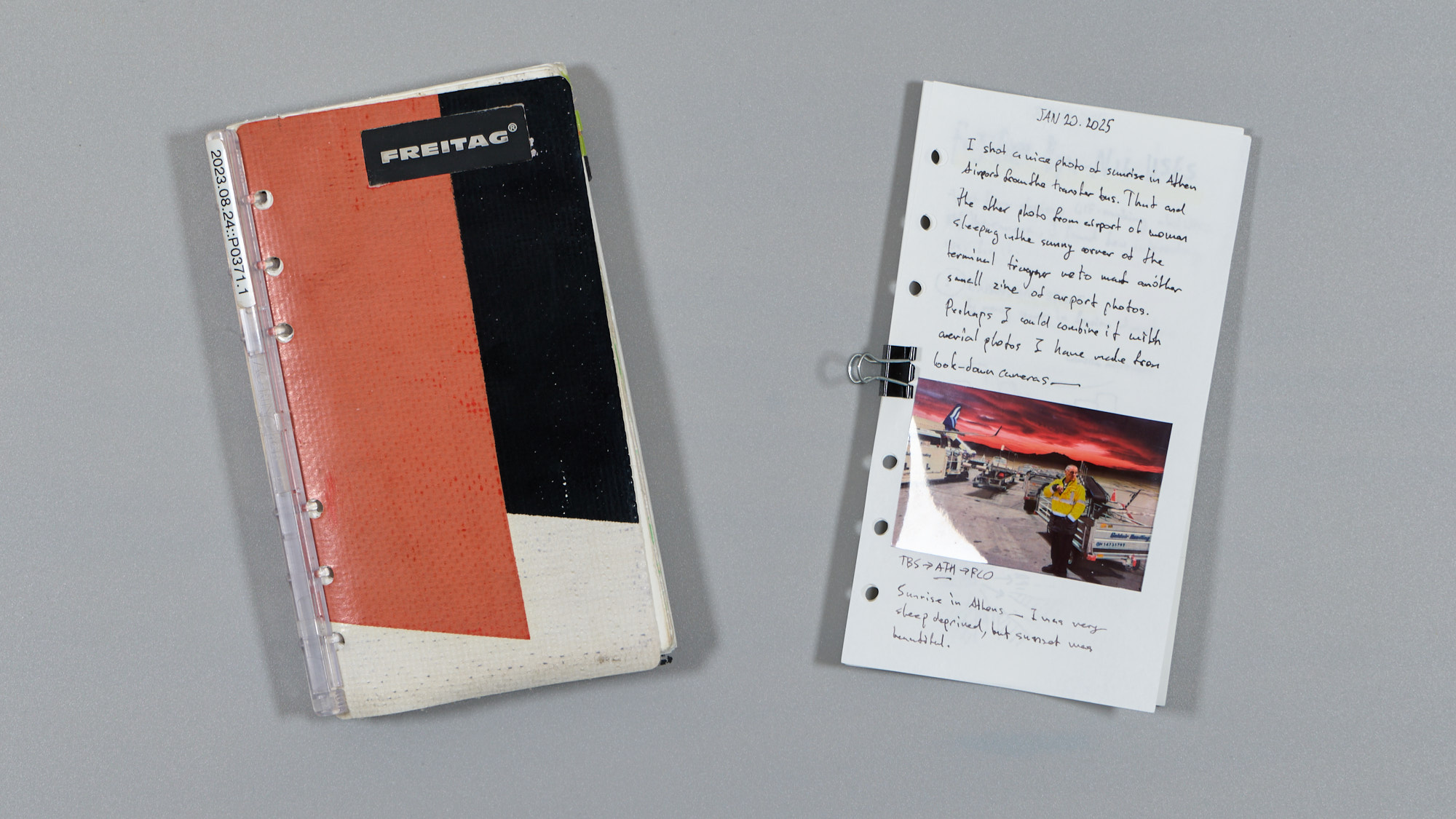
Since Unbound notebooks use loose leaves, traditional page numbers do not make much sense. However, having a way to identify a page and its place in a sequence is quite valuable for referencing as well as lookup purposes. Because of this, I use dates as a replacement for page numbers. No matter how leaves migrate between notebooks or archives, they remain easily searchable using dates, as dates are naturally ordered by timeline.
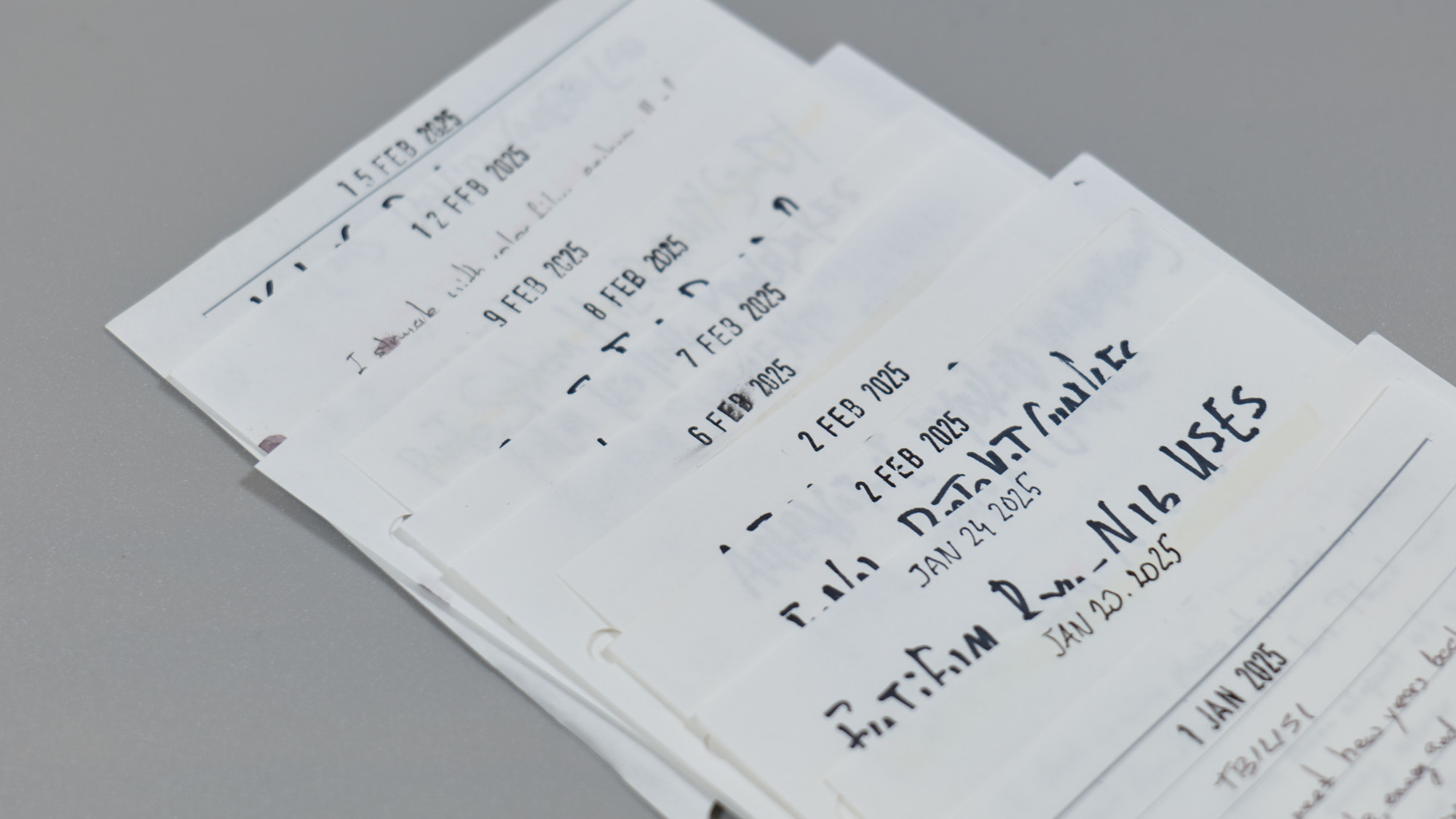
I find additional page numbers within a day unnecessary since I rarely write more than half a dozen pages in one day—an amount that is trivial to flip through. If you write more than a dozen pages per day, consider adding / and a page number so that the 24th page written on January 6, 2025, would be labeled 2025.01.06/24.
I use a rubber stamp with changing dates to page my notes, but the simple act of writing the date on the trailing edge of the page would suffice.
Grouping
I avoid grouping pages by project, topic, or area. The loose leaf system is incredibly flexible when you want to migrate a page from one part of the notebook to another—or even to a dedicated notebook for logging or project ideas. However, I find excessive grouping creates silos of neglect, where notes that might be useful during casual browsing are overlooked.
Peripheral Vision
Andy Matuschak coining Peripheral Vision:
My physical workspace is full of subtle cues. The books I read or bought most recently are lying out. Papers I’ve accumulated are lying in stacks on my desk, very roughly arranged by their relationship to each other. I notice a broken door every time I walk by it. These cues together give me a kind of “peripheral vision”: when I’m doing one thing, it’s easy for me to fluidly notice other nearby things. […] Software systems, by contrast, often lack this kind of peripheral vision. […] Digital task lists live in a dedicated app. I have no natural reason to look at the contents of that app.
Unbound System is designed to keep notes you want to be reminded of in the notebook, no matter how old, small, or plain they are. The ability to keep those pages available for browsing keeps them in your peripheral vision.
Searching and Browsing
Browsing is an open-ended activity, more akin to walking in the city—exploring like a flâneur—whereas searching is information retrieval, a brisk walk to a set destination. We may browse with or without a goal, and plans may change as the process unfolds. However, when searching, we need information quickly and reliably.
Unbound System is designed to excel at both. Browsing can be easily accomplished by flipping through the pages of a notebook in either direction, or even accidentally opening it to a random page every so often. Searching, on the other hand, is where the digital counterpart of the Unbound System comes into play.
Bridging to Digital
While the thinking part of the Unbound System is primarily analog, digital tools can improve information retrieval, recall, and archiving.
Any multimodal AI assistant that accepts images can help transcribe notes. In ChatGPT, Codex, Claude, or a similar tool, attach a clear photo or scan and use a prompt like this:
You help me digitize handwritten paper notes. Transcribe only what appears on the page. Preserve the original wording and structure; do not rewrite or add commentary. Correct an obvious spelling mistake only when you are certain, and mark illegible or uncertain text as
[unclear]. Represent headings, lists, and tables in Markdown. If the page contains a sketch or diagram, add a brief description in brackets. Return Markdown only.
I save the resulting text in my note-taking app of choice alongside the loose leaf photo. Before archiving it, I compare the transcription with the original because handwriting recognition can still make mistakes. You could discard the paper after checking the scan, though loose leaf sheets are as easy to reprint as any standard piece of paper.
A digital version of the note opens several options for fast and precise searches. It could be as simple as searching for a keyword on a page or as advanced as letting an AI assistant search and summarize an archive of notes.
Since pages are unbound, you can use any flatbed or document scanner for digitization. Most high-end document scanners can adjust skew and run automations on scanned pages (e.g., Fujitsu/Ricoh ScanSnap series). You can simplify workflows by leveraging various automation tools.
A Generic AI Workflow
This workflow does not require a purpose-built app. Scan or photograph a page, attach the image to ChatGPT, Codex, Claude, or another multimodal assistant, and use the prompt above to produce Markdown. Ask it to extract the page date and suggest matching filenames for the text and image, then save both files in the note-taking system of your choice. An agent or local script can repeat the same steps for a folder of scans, while the durable output remains ordinary image and text files that can move between tools.
Bridging back to Analog
Since loose leaves are essentially pieces of paper with a bunch of holes, they can work in printers as well as normal paper, which means you can print any content and put it in your notebook for further thinking or even as part of your peripheral vision. I usually print my highlights from books and essays I read online and then annotate them further with pencil in the notebook.
Abstract and minimalist photos also make a nice writing surface for thoughts or poetry.
Linking
At a minimum, it’s possible to link notes using their dates. The system is designed to be compatible with Zettelkasten, where individual leaves can act as index cards. By adding page numbers after dates, you can ensure uniqueness. Or, you could add an additional Zettelkasten-style identifier only to relevant leaves.
However, I don’t find linking notes particularly useful. Instead, I prefer to browse my notes while thinking, allowing connections to emerge organically. When I need to retrieve specific information, I rely on search. See Searching and Browsing.
For focused work, you can also group notes into their own notebook or a “bunch” for an intense focus session. I do not keep bunched notes together for a long time.
Index
There’s no necessity to use a paper index in Unbound System. If you choose to digitize and transcribe your notes, they become easily searchable, which may eliminate the need for a traditional paper index.
However, if you’re an analog purist, you can still maintain a traditional index on paper. Instead of listing page numbers alongside subjects, you could write the dates you worked on them. This approach not only functions as an index but also transforms it into a concise interstitial work log.
Archiving
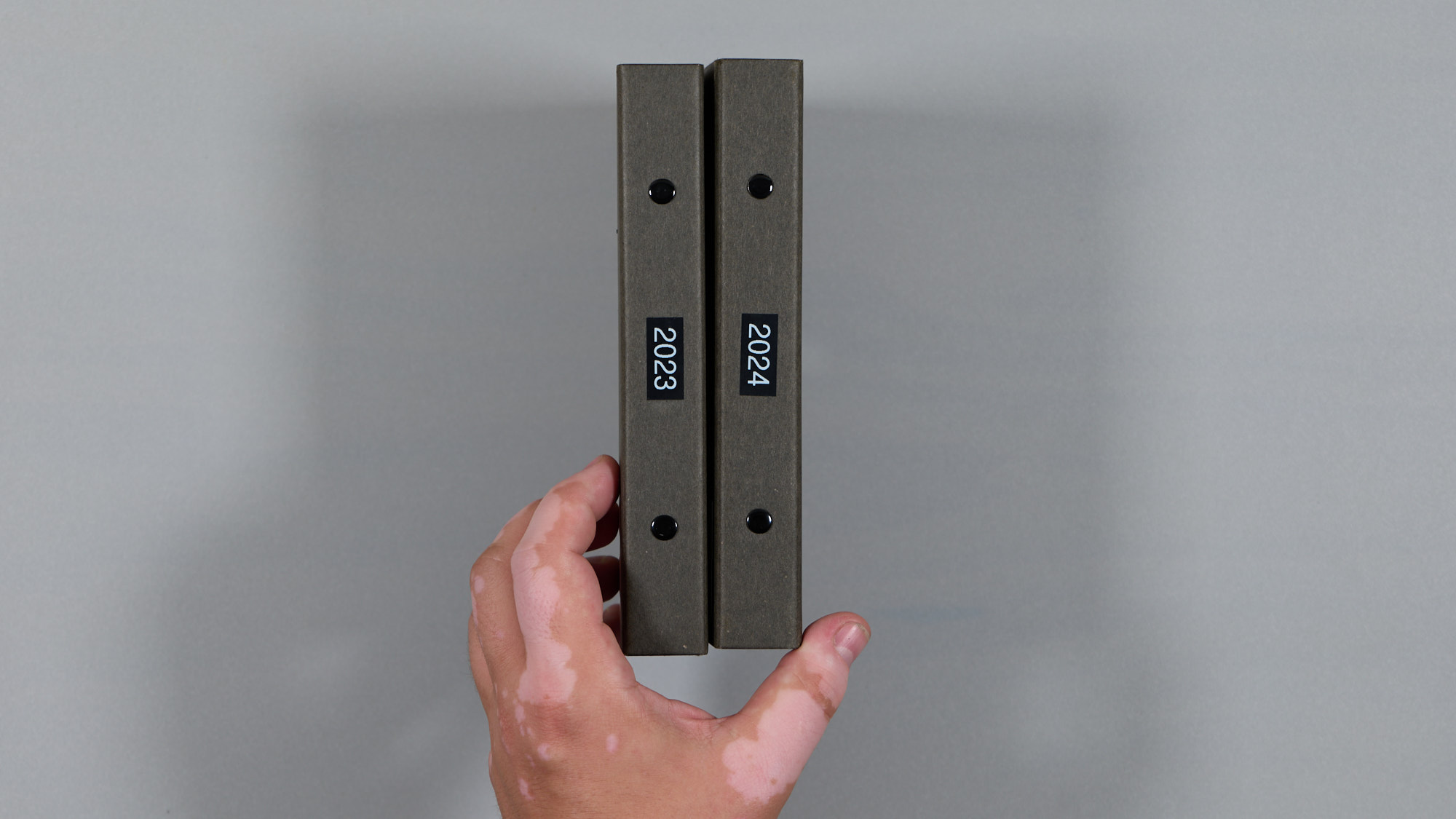
In the Unbound System, notes never get truly retired—they merely migrate from one place to another. Archiving is as straightforward as moving a leaf into a long-term binder. I use thick cardboard binders labeled by year for loose leaves from those years. All pages are ordered chronologically, so even if a binder contains hundreds of pages, they are extremely easy to locate.
If you prefer a Zettelkasten-style archive, you can organize leaves into thematic drawers. Again, the system is designed to adapt to you rather than impose a rigid structure.
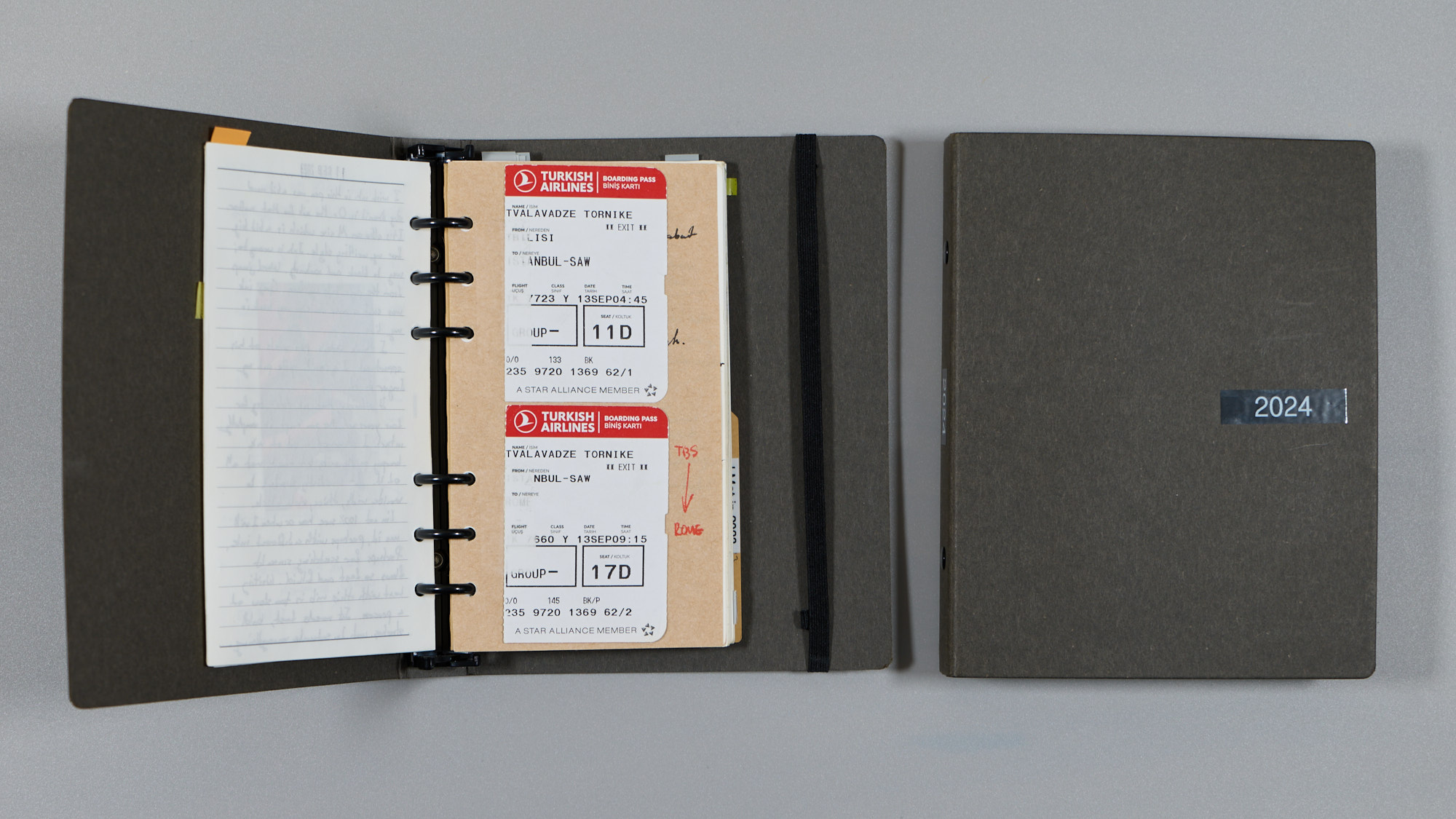
I personally never move pages to the archive without scanning them first. However, this is also not strictly necessary since “unarchiving” a note is as easy as moving pages back into an active notebook.
Personalization
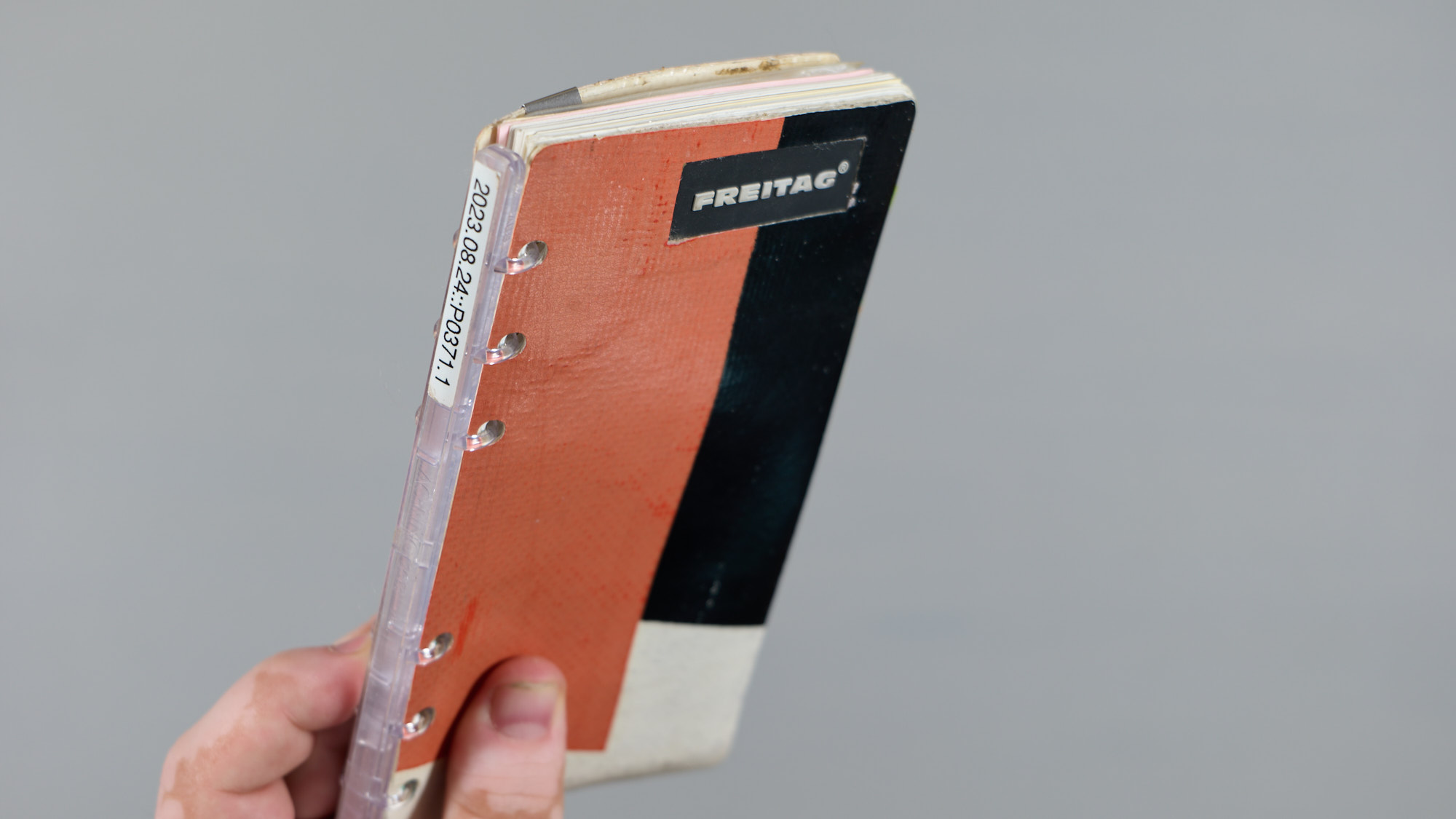
The canonical Unbound version is designed so that covers are also loose and DO NOT wrap around the binder mechanism as they do in Filofax, Davinci, and Plotter planners. Any thick paper, cloth, leather, or fabric that protects the pages beneath and gives the notebook a pleasing tactile quality can serve as a cover.
You could even use an additional “cover” between leaves as a writing pad or separator.
I have two active notebooks: one with a 1 mm yellow-tanned leather cover and another cut from a Freitag F08 DAN pouch I got for $5 because it had a broken zipper. All it takes to make new covers are scissors and a hole punch.
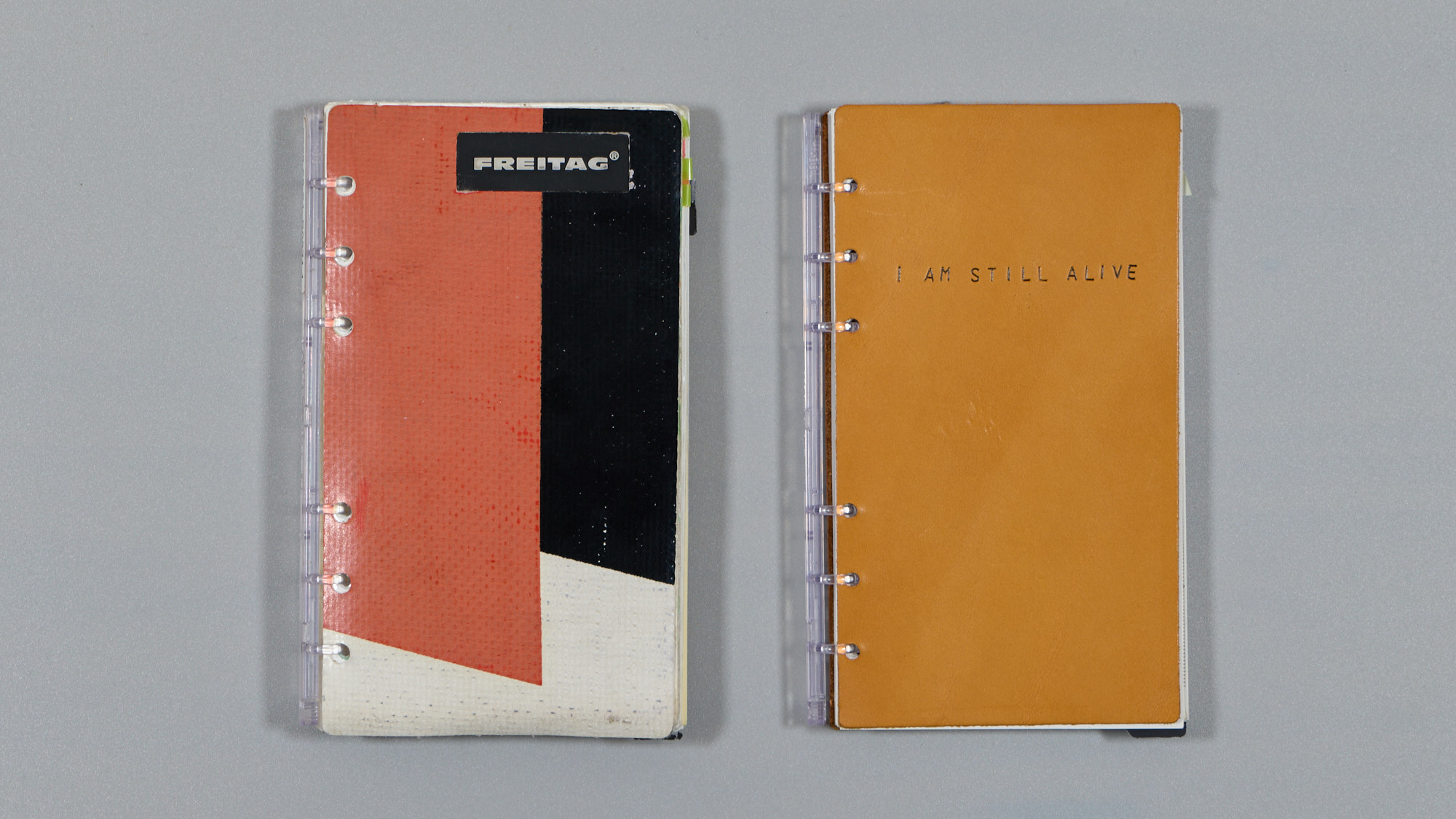
Since covers are essentially the first and last “pages,” you can change them as frequently as you want without starting a new notebook. Or, you could keep the same one and have the “same” notebook for decades.
Notebook Sizes
The size of the notebook is a very personal choice, and as long as you can get pages in the size you like, you’re set. I like small notebooks, but pocket notebooks like Field Notes are too small for my taste, whereas A5 is a bit too big to carry everywhere. I was lucky to live in Japan and discover System Techō (システム手帳) and its bible size paper (also known as Personal or Compact in the Filofax universe; Plotter USA uses the same terminology as Japan).
In practice, anything that can be kept as a loose leaf notebook can work—even something as accessible and simple as Kokuyo Campus loose leaf paper.
Templates
I strongly encourage starting simple with plain, dotted, or ruled paper for everyday notebook use without overcomplicating the setup. For some niche types of logging and thinking, I’ve created several templates that can be printed on any standard printer. Most of these are tailored to my line of work.
Make Your Own
I have a separate guide on how to start and create your own Unbound notebook from scratch:
Accessories
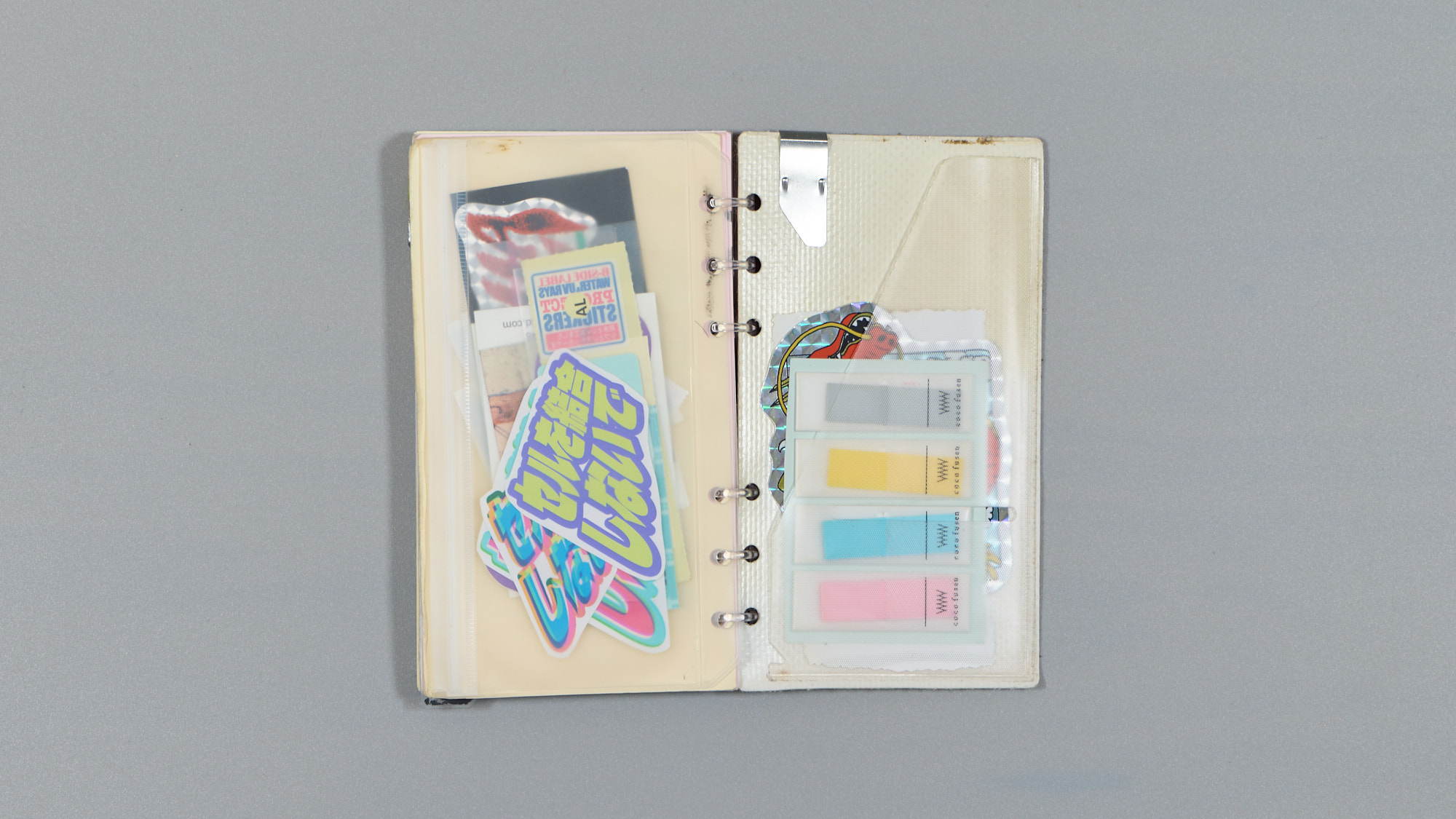
When I published this guide, I had been using the Unbound System for more than two years. Below are a few tips and tricks that I find useful when using the system:
- I glue a Traveler’s Notebook Pocket Sticker 006 onto the backside of the back cover. It needs a bit of trimming since the pocket is an inch or so taller than Bible-size paper.
- I keep a flat TOHKIN PC-8S-3 Clip on the back cover. It can act as a paper holder, transforming the back cover into a writing pad for loose-leaf pages.
- I have a single Coco Fusen Sticky Notes (small size) glued on the inside of the front cover. They are useful for marking pages of importance in the notebook or book I’m reading.
- If you are an architect or designer, consider keeping a bunch of tracing paper in your notebook. You can layer it in front of a base sketch to iterate easily and quickly. The rings will act as somewhat loose but reliable registration pins.
Tips & Tricks
- I write only on one side of the paper. This makes leaves easy to scan and digitize.
- I do not mix notebook sizes; this gives me ultimate flexibility in migrating notes, although some sizes like Japanese Narrow, Bible, and HB-WA5 are compatible with each other.
- I tape all business cards I collect onto a page, adding the person’s name and where and how I met them. For a goldfish like me, this has been invaluable.
Companion Tools
Below are a few tools and toys I use with my Unbound notebook to make it more useful for my work and to add a touch of character:
- Multi-pen — I use a clear version of the Hi-Tech-C Coleto pen with black, red, highlighter, and mechanical pencil inserts.
- Date Stamper — Absolutely unnecessary, as writing a date on a page is trivial, but I like the uniform look of stamped dates.
- Hole Punch — For making inserts from collected matter. I have both heavy-duty and travel versions.
- Clear Pocket Insert — For collecting memorabilia, event tickets, or tree leaves from the ground.
- Canon ZINK Mini Printer — For printing photos. ZINK (Zero Ink) paper requires no ink and has a sticker backing, making it easy to create photo sequences in the notebook or just print a nice moment to accompany a journal entry.
- Glue Stick — For things that do not have adhesive backing.
Resources
Collection of links from and around the notebook system.